How to Earn Gift Cards With Jagger: From First Poll to Gift Card
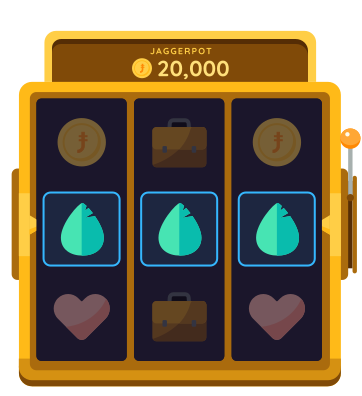
Jagger is a free rewards app for iPhone and Android. You charge spins by answering polls, taking the occasional survey, checking in each day and keeping Media Research on. Spins win coins in Spin to Win, and coins become gift cards from Amazon, Nike, Starbucks and many more in the Shop. This guide takes you from your first poll to your first gift card.
Download on the App Store or get it on Google Play.
Step 1: Download Jagger and fill in your profile
Jagger is free to download and free to use. Create your account and fill in your basic profile on the Home screen. Your profile helps match you with polls and surveys, and finishing it is one of the tasks that charges your spins.
Step 2: Charge your spins
Spins are what you play with in Spin to Win. You never pay for one. There are four ways to charge them.
- Polls and surveys. Answer short polls with one tap. Every set of polls, and every occasional survey, charges your spins.
- Media Research. Keep Jagger on and it recognises the TV, radio and video content around you. Your ring fills by itself while it is on, and a full ring is one spin. You do not need to change what you watch. Audio is never saved.
- Daily check-in. One tap a day is one spin. Check in seven days in a row and day seven gives you three spins.
- Daily tasks. Finish the tasks on your Home screen to charge even more.
Step 3: Play Spin to Win
Use the spins you have charged in Spin to Win. Every spin is a chance to win coins. It is a game of chance, so not every spin wins, but nobody can buy an advantage: spins only come from taking part. Open Prizes in the app to see what you can win, and Winners to see who won recently.
Step 4: Pick your gift card in the Shop
Open the Shop to see your coin balance and the gift cards you can choose from, including Amazon, Nike and Starbucks. Pick a gift card and confirm with your phone password or fingerprint. Jagger does not keep that information. Your gift card then arrives by email.
Want to see the most popular rewards first? Visit the surveys for gift cards page.
Prefer to give your coins away?
You can. In the Shop, switch from Gift cards to Donate and give your coins to a cause: tree planting, clean water or meals.
Frequently asked questions
Is Jagger free?
Yes. Jagger is free to download and use on iPhone and Android. You never pay for a spin or a gift card. Spins are charged by taking part: polls, occasional surveys, the daily check-in, daily tasks and Media Research.
Do I have to take surveys to earn gift cards?
No. Polls and surveys are one of four ways to charge spins. You can also check in each day, finish daily tasks and keep Media Research on, which fills your ring by itself. Spins can win coins, and coins become gift cards in the Shop.
How do I get my gift card?
Open the Shop, pick a gift card and confirm with your phone password or fingerprint. Jagger does not keep that information. Your gift card arrives by email.
Can I donate my coins instead?
Yes. In the Shop, switch from Gift cards to Donate and give your coins to tree planting, clean water or meals.
Jagger is free on iPhone and Android. Download on the App Store or get it on Google Play.