Apps to Earn Gift Cards: What to Look For and How Jagger Rewards You
Apps to earn gift cards come in three kinds: survey apps that reward your opinions, receipt apps that reward your shopping, and passive apps that reward you for keeping them on. Most people try a few and keep one. The one you keep is the one that respects your time, tells you who is behind it, and lets you see your reward getting closer every day. Jagger is a survey and polls app made for the phone: one-tap polls, a daily check-in and Media Research charge spins, spins win coins, and coins become gift cards from Amazon, Nike, Starbucks and more.
Jagger is free on iPhone and Android. Download on the App Store or get it on Google Play.
The three kinds of apps to earn gift cards
Before you install anything, it helps to know what you are signing up for. Gift card apps almost always fall into one of these groups.
- Survey and poll apps. Brands and researchers want to know what real people think, and they back it with rewards. You answer questions and the app rewards you. The good ones keep questions short. The bad ones screen you out after ten minutes and give you nothing.
- Receipt and shopping apps. You scan receipts or shop through the app and collect points on what you buy. These only work if you shop a lot, and the reward depends on the brands in your basket.
- Passive apps. You install the app, give it a permission, and it rewards you for keeping it on while it collects research data in the background. Little effort, but you should know exactly what data is collected and why.
Jagger sits in the first group, with a piece of the third: polls are the main way to make progress, and Media Research adds progress in the background when you choose to turn it on.
What to look for before you install one
- A real company behind it. The app store page should name the maker and give an address. Jagger is made by BeatPlus in The Hague, the Netherlands.
- A plain answer on data. What is collected, what it is used for, and what is never collected. Jagger uses your answers and your media exposure for market research. Audio is never saved. The privacy policy spells it out.
- Gift cards you would actually use. Look for brands you know. Jagger’s Shop lists cards such as Amazon, Nike and Starbucks, and shows the price of each one in coins so you can see what you need.
- More than one way to make progress. If an app only rewards you when you finish a long survey, you will stop opening it. Jagger charges spins through polls, the daily check-in, daily tasks and Media Research, so a busy day still counts.
- Progress you can see. A balance on the Home screen, a ring that fills, a streak that grows. If you cannot see your reward getting closer, you will not come back.
How Jagger works: polls, spins, coins, gift cards
Everything in Jagger runs on spins, and you never buy one. You charge them in four ways.
- Polls and the occasional survey. One-tap questions you can answer in a queue or on the sofa. Each set of polls charges your spins.
- Daily check-in. Open the app and check in for one spin. Keep a seven-day streak and day seven gives you three.
- Daily tasks. A few small tasks appear on your Home screen each day. Finish them for more spins.
- Media Research. Keep Jagger on and it recognises the TV, radio and video playing around you. Your ring fills on its own, and a full ring is one spin. Audio is never saved.
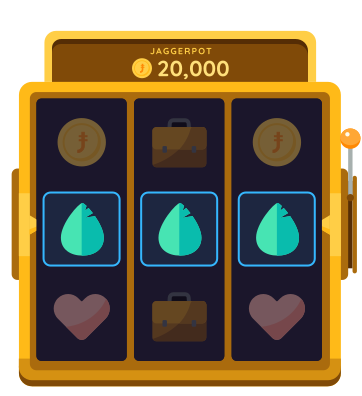
Use your spins in Spin to Win. Every spin can win coins and gives you a chance at the jackpot. It is a game of chance, so not every spin wins, and nobody can buy a better chance. The Spin to Win guide explains how it works.
When you have enough coins, open the Shop, pick a gift card, confirm with your phone password or fingerprint, and it arrives by email. If you would rather give your coins away, switch from Gift cards to Donate and send them to Eden Reforestation Projects, charity: water or Feeding America.
Want to see the full list of cards people pick? Visit the surveys for gift cards page. New to the app? The step by step guide takes you from your first poll to your first gift card.
Three habits that get you to a gift card faster
- Check in every day. The streak is the easiest spins you will ever get, and day seven gives you three.
- Answer polls the day they arrive. They are short, and they are the main way to charge spins.
- Turn on Media Research when you settle in to watch something. Your ring fills while you do nothing extra.
Frequently asked questions
Which kind of app to earn gift cards is Jagger?
Jagger is a survey and polls app with a passive option. One-tap polls, the daily check-in and daily tasks charge spins, and Media Research fills your ring in the background when you turn it on. Spins win coins in Spin to Win, and coins become gift cards or a donation in the Shop.
Which gift cards can I earn with Jagger?
The Shop lists the gift cards available in your country, including Amazon, Nike and Starbucks, each with its price in coins. Choose one, confirm with your phone password or fingerprint, and it is sent to your email. You can also switch to Donate and give your coins to Eden Reforestation Projects, charity: water or Feeding America.
Is Jagger free, and is my data safe?
Jagger is free to download and free to use on iPhone and Android, and you never pay for a spin. It is made by BeatPlus in The Hague, the Netherlands. Your answers and media exposure are used for market research only, and audio is never saved. The privacy policy on jaggerapp.com explains what is collected and why.